| |
TMS Postgres
EFTPOS
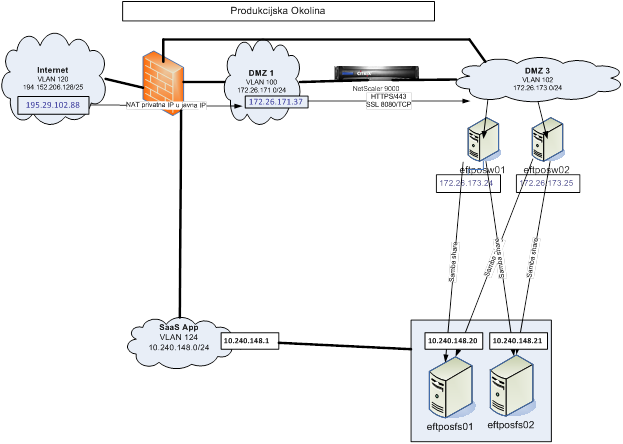
TMS Postgres
You need to adjust pg_hba.conf:
http://www.postgresql.org/docs/current/static/auth-pg-hba-conf.html
Once you add your own host and corresponding user, restart postgresql server so hopefully you can connect.
Also you might need to enable it's port on the network: http://www.cyberciti.biz/tips/postgres-allow-remote-access-tcp-connection.html
share|edit|flag
If it was the pg_hba.conf file, I think the user would be getting a different error message. – kgrittn Jun 24 '12 at 15:15
Andrew, I have followed the guides in the two links provided and have updated the OP to show these entries. I thought the iptables entries would provide the solution but unfortunately I am still unable to connect with pgAdmin III and receive the same error. – MaRk Jun 24 '12 at 17:17
OK, I'm now connected! Whoohoo! Great stuff. I restarted the service and was then able to connect. Many thanks, I'm sure the only thing outstanding was the iptables config. Anyway, many thanks. – MaRk Jun 24 '12 at 17:34
...........................................................................................
http://www.pgadmin.org/docs/1.4/hints/conn-listen.html
http://forums.enterprisedb.com/posts/list/2833.page
|
|




)
)
)
)
)
